
Viral TikTok trend
Drake Burning Bridges AI Video Generator
Put yourself and up to 6 friends in Drake's party scene. Upload one photo each, or one group photo and tap who to use.
Try it free with a 4-second preview. After that, a 15-second video costs about $2.00.
16:9 videos of 15 or 29 seconds at 480p or 720p, ready in a few minutes. Credit packs start at $9.99, with no subscription.
- No sign-up needed
- No watermark
- Credits back if a video fails
- Group photos: you pick who to use
Your photo (host)
Best results: one face, looking at the camera, well lit. A group photo works too: tap who to use.
Friends (optional)
0/6Add one photo each, or upload a group photo and tap your friends. Up to 6, in the order you pick them. Leave it empty for a room of party guests.
Full video: 29s · 480p · 100 credits (about $9.99)
One free 4-second preview at 480p per device. No sign-up needed.
 Example
Sample preview playing above. Upload photos on the left to start your video.
One room, seven people
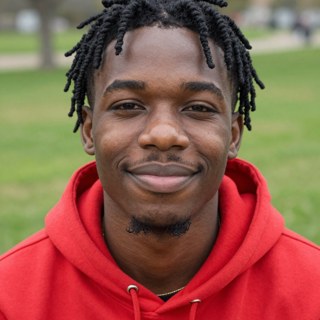
An 8-second test at 480p: one host and six friends, each made from a single portrait. The portraits below are AI-generated test faces.
 Host
Host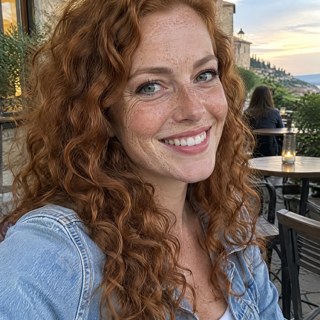
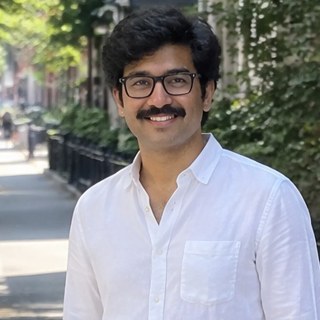

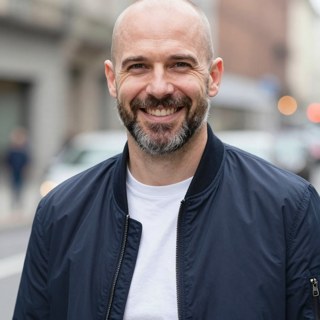
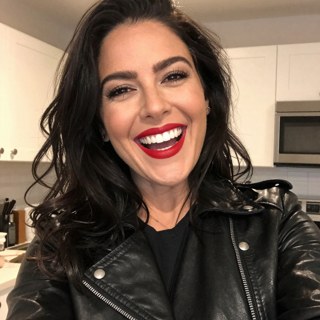
The moves, timed to the trending sound
Every video follows the same handheld take from the music video. The full version runs 29 seconds; the 15-second cut runs from the toast to the hand over the eyes.
0:01
The entrance
Dances toward the camera with the crowd cheering.
0:05
The toast
Pushes the cup right up to the lens.
0:09
Hands down
Swings both hands down and out on the beat.
0:11
The collar
Grabs the collar and tugs it with a shrug.
0:12
The room
Points at friends, and they point back.
0:18
The peakWhere she at?
Hand over the eyes, scanning the room.
0:21
The wave
Waves at the camera with the cup raised.
Adding the sound: upload your video in TikTok, tap Add sound and pick "original sound - cazetv" from 0:00 for the 29-second video, or "original sound - ayorick_" from 0:04 for the 15-second one. Pick the sound from TikTok's own library so the audio follows the platform's rules. Why two sounds.
How to make a Burning Bridges AI video
- Step 01
Upload host & friends'' photos
Add one photo per person, or upload a group photo and tap who to use. The host stands in the middle and up to six friends stand around them, left to right.
- Step 02
Choose duration & resolution
Pick the 29-second full take or the 15-second highlight cut, at 480p or 720p. Rendering takes a few minutes.
- Step 03
Export & add trending sound
Download the 16:9 MP4 (no watermark), upload it to TikTok, Reels or Shorts and add the trending sound: "original sound - cazetv" from 0:00 for the 29-second video, or "original sound - ayorick_" from 0:04 for the 15-second one.
Photos that work best
The AI copies the face it can see, so a sharp, well-lit photo gives the closest match. The host stands closest to the camera and looks most like their photo. Friends are smaller in the frame and may only partly resemble theirs.
What works best
- One person in each photo, or pick one person from a group photo
- Whole face visible, looking at the camera
- Daylight or good indoor light
- Head and shoulders, or sharp full-body shot
What to avoid
- Sunglasses, masks or hands obscuring the face
- Other people crowding the face
- Heavy beauty filters, cartoons or low-res screenshots
- Celebrities, public figures or anyone under 18
One-time credit packs
Try one free 4-second preview per device, then buy a pack once and make full videos whenever you like. There is no subscription.
100 credits
$9.99
1 full video or 5 short ones at 480p
Try it out.
300 credits
Save 17%$24.99
3 full videos or 15 short ones at 480p
A few videos for the group chat.
650 credits
Save 23%$49.99
6 full videos or 32 short ones at 480p
For regular posting, or everyone in 720p.
Credit rate card & what''s included
What each video costs in credits. If a video fails, its credits go back to your balance.
Cost per video
| Video Length | 480p SD | 720p HD |
|---|---|---|
| 4s preview test (per device) | Free (0 credits) | — |
| 29 seconds, full take | 100credits | 220credits |
| 15 seconds, highlight take | 20credits | 45credits |
* If a video fails, its credits are returned to your balance automatically.
Included in every pack
- 16:9 MP4 without watermarks
A clean file, ready to post on TikTok, Reels or Shorts.
- The host plus up to 6 custom friends
The full party scene, with each face taken from that person''s photo.
- Credits never expire
Unused credits stay in your account until you use them.
- Credits back if a video fails
If a full video fails, its credits return to your balance automatically.
What is the Burning Bridges AI trend?
It''s Drake''s "Burning Bridges" video with someone else as the host. The scene is one handheld take of a packed party under crystal chandeliers: the host raises a silver cup to the camera, tugs his collar, points around the room and puts a flat hand over his eyes as if asking "where she at?".
AI tools swap the host for anyone. Sitcom characters, athletes and pets are common, and more and more people put their own friends in. Here you do it with a photo of each person and no editing.
Read full trend breakdown & timelineSources: TikTok, "Burning Bridges" official sound, TikTok, Burning Bridges AI page and Reddit r/OpenAI, workflow thread.
- May 15, 2026
Drake releases "Burning Bridges" on the album ICEMAN. The video is one handheld take of a packed party in a wood-panelled room under crystal chandeliers.
- Late Sep 2026
People start replacing Drake in the video with AI. A Reddit thread on September 30 traces the first versions to Higgsfield''s "Genjutsu" video-to-video tool.
- Oct 2026
Searches for "burning bridges ai" climb every week, and TikTok''s Burning Bridges AI page passes 1.6 million posts: sitcom characters, athletes, pets and people''s own friends at the party.
Burning Bridges AI video FAQ
Have a question not answered here? Contact support.
What is the Burning Bridges AI trend?
People use AI to put themselves, their friends or a character into the party scene from Drake''s "Burning Bridges" video: the cup raised to the camera, the collar tug and the hand-over-eyes "where she at?" look across a packed room under chandeliers. It took off on TikTok in late September and October 2026.
How do I make a Burning Bridges AI video?
Add a clear photo of yourself and, if you like, up to six friends to make one free 4-second preview per device without signing up. To unlock a full video, choose 29 or 15 seconds and 480p or 720p, then use or buy credits. You take the host''s place in the room from the music video with your friends around you. Download the video, upload it to TikTok and add the trending sound.
How many photos do I need?
One for the host, and one more for each friend, up to six. Use one person per photo, with the whole face visible and good light. If a photo has several people, you pick who to use and we hide the rest. Full-body shots are fine too: we find the face and crop the photo to the head and shoulders before the AI sees it. If we can''t find a clear face, we ask for another photo before any credits are used.
Can I upload a group photo?
Yes. When a photo has several faces, we draw a box on each one and you tap the people to use. Each person is cut out as a head-and-shoulders photo, with the other faces in that crop blurred out, all in your browser before anything is uploaded. You see a preview of every crop and can adjust it. It works best when faces are large and clear, like a selfie or a close group shot. Small, turned-away or covered faces (sunglasses, hats) can be missed. If someone has no box, add their own photo instead.
How many people can be in one video?
Seven: the host and up to six friends, one photo each. The host stands in the middle, closest to the camera. Friends stand in a row around them: the first half you add on the host''s left, the rest on the right. Everyone else in the room is a party guest, so leave the friends empty if you want a crowd of strangers.
Does the video come with the song?
No, by design. TikTok and Reels tend to favor videos that use their own in-app sounds, and a silent file can't be muted for copyright. Each video is timed to a popular sound clip: add "original sound - cazetv" from 0:00 for the 29-second video, or "original sound - ayorick_" from 0:04 for the 15-second one and the moves land on the beat.
How long does it take?
A free 4-second preview takes about 1–2 minutes; full videos usually take a few minutes. You can safely close the page; completed videos wait under My videos when you return.
Will it look like us?
The AI keeps the face, skin tone, hair, facial hair and glasses from each photo. The host is closest to the camera and keeps the best likeness. Friends are smaller in the frame and move a lot, so they may only partly resemble their photos, and someone at the edge can drift out of the shot. A sharp, well-lit photo of each person gives the best result.
What format is the video?
A 16:9 MP4. The free preview is 4 seconds at 480p; full videos are 29 seconds for the full take or 15 seconds for the highlights, at 480p or 720p, with no watermark. It''s the same landscape framing as the music video.
Can I get a vertical 9:16 video?
Not yet. Every video is 16:9 landscape, like the music video. TikTok, Reels and Shorts all accept 16:9 uploads, shown with black bars, or you can zoom in with the app''s editor.
How much does one video cost?
Packs start at $9.99, which makes 1 29-second video or 5 15-second ones at 480p. Bigger packs bring the price down to $1.54 per 15-second video and $7.69 per 29-second one. In credits, a video costs 20 for 15 seconds at 480p or 45 at 720p, and 100 for 29 seconds at 480p or 220 at 720p. Packs are one-time payments, and credits never expire.
Is there a free trial?
Yes. Each device can make one free 4-second preview at 480p, without signing up or adding a card, subject to daily availability. Full 15- and 29-second videos use paid credits. If a full video fails, its credits are returned automatically.
How do I find a video made without signing in?
It stays available in the same browser. Sign in there with Google or an email code to save it to your account. On another device, sign in with the email you entered at checkout to recover purchases made with that email. If a shared browser used different checkout emails, contact support for help.
What if my video fails?
Its credits go back to your balance automatically, so you can try again with another photo.
Can I use a photo of a celebrity or a friend?
You can use friends'' photos if they''re adults and agreed to be in the video. Photos of celebrities, public figures and anyone under 18 aren''t allowed.
Is this made by Drake or his label?
No. Burning Bridges AI is an independent tool and isn''t affiliated with Drake, OVO, Republic Records or TikTok. Your video is generated by AI: the room is modelled on the music video''s set and the movement follows its take, but it contains no footage or audio from the "Burning Bridges" music video.
Is this the Burnin'' Bridges AI music project?
No. Burnin'' Bridges AI Music is a separate project that releases AI-made songs. This site makes videos for the Drake "Burning Bridges" trend.
What happens to my photos?
We use them only to make your video and never show them publicly. Photos and videos are deleted 30 days after you upload or make them, so download the videos you want to keep.
Guides to the trend
How to make a Burning Bridges AI video
Compare photo uploads, video editing and template apps before you start.
Burning Bridges AI group video with friends
How 7 people end up in one video, where each friend stands and what it costs.
Which sound to use for Burning Bridges AI
The two TikTok clips most videos use, how many videos use each and where to start them.
Drake Burning Bridges AI trend, explained
The song, the party scene, the hand-over-eyes move and how the AI version spread.
Is there a free Burning Bridges AI generator?
What the free options give you, and what one video costs here.
Burning Bridges AI video generators compared
How many people, how long, what format and what one video costs on nine sites.
Burning Bridges AI prompt
Make the video from your photos without writing a prompt.
Burning Bridges AI vs Higgsfield Genjutsu
A preloaded party scene with one photo per person, or your own clip in a full video editor: what each costs and who it suits.
Burning Bridges AI says restricted content? How to fix it
Why AI video tools block a photo or prompt, what to change, and what happens to your credits here.
The room is packed. Where you at?
Put yourself and up to six friends in the party scene. Each device gets one free 4-second preview, and there is no subscription.
Free 4-second preview · 16:9 MP4 · credits back if a video fails